In the fast-paced digital world, having a website is essential for growing your business online and effectively reaching your target audience. Thanks to the rise of free website builders and drag-and-drop editors, many entrepreneurs and small businesses are tempted by DIY website design. With these tools, it’s easier than ever to launch a new site quickly, allowing anyone to establish an online presence in just a few steps. But is building your site always the best choice? And when should you consider hiring a professional?
At Asymmetric Marketing, we understand the balance between the ability to save time and money with DIY tools and the long-term benefits of a professionally designed and custom website. While DIY website design offers convenience, experienced web designers provide comprehensive services—handling technical tasks like SEO, responsive design, site architecture, and custom features that go beyond what templates can offer. Let’s explore when DIY works and when you should rely on expert web design services to maximize your brand’s online potential.
What Makes DIY Website Design Appealing?
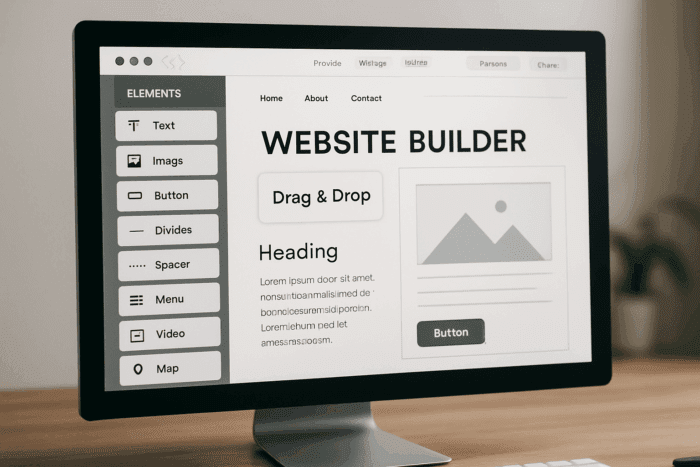
DIY website design tools have come a long way. Platforms with customizable templates, drag-and-drop editors, and built-in marketing tools let you create a website quickly without coding knowledge. Modern web builders now offer an intuitive interface, advanced editing tools, and even AI features to streamline the process for beginners and non-technical users. Many even offer free website plans, perfect for testing ideas or launching a simple one-page website. Many website builders allow users to easily add features like blogs, contact forms, and galleries to their websites.
With a free website builder or affordable website builder plans, small business owners can:
- Access templates tailored for various industries
- Customize color palettes and templates to match your brand
- Create and manage multiple pages, such as About, Contact, and Services
- Easily add or remove content blocks and features without technical expertise
- Use free images or upload your images
- Set up a custom domain or your domain
- Manage basic seo settings and seo tools to help with search engine optimization
- Connect Google Analytics to track visitors and measure success
- Use pre designed templates and all the tools provided by web builders to efficiently create a new website
DIY platforms like Wix, Squarespace, and Weebly are some of the best website builders available. They enable you to publish your site and start building your customer base immediately. Most platforms do not require coding knowledge or prior coding experience, making them accessible to beginners. Websites are typically created using templates and drag-and-drop tools, but advanced users can add custom code or HTML for further customization. Platforms like Canva websites and a Wix site offer unique features for building a portfolio site or managing blog posts, and many now include built-in AI tools and AI features for content creation and design customization. These websites can be easily customized to fit your needs, whether you want to add a blog, new pages, or advanced features.
The Limitations of DIY Website Builders
While DIY tools are convenient, they have their limits. If your business requires:
- Advanced customization beyond the capabilities of website templates (which may require hiring a developer)
- Integration of complex integrated marketing tools or e-commerce functionality for your online store
- Professional-level design elements, unique branding, or complex features
- Expert guidance on search engine optimization and attracting organic traffic
…then DIY may not be the best bet.
Many DIY sites lack the polish and flexibility of a custom website developed by experienced designers and developers. Professional web designers often use advanced design software and project management software to deliver a truly custom site, along with reliable web hosting and comprehensive website building services that ensure your site is secure, scalable, and tailored to your business needs. Also, without expert knowledge, it’s easy to make website design mistakes that can hurt your brand and search rankings. While the website builder market offers many solutions, some businesses may outgrow what is available and require professional help from a developer.
Choosing the Best Website Builder

Selecting the best website builder for your business is a crucial first step in creating a successful online presence. Focusing on what matters most for your needs is essential with so many options available. Start by considering ease of use—look for a website builder with an intuitive drag and drop editor that lets you create a custom website without requiring coding knowledge.
Customization is key, so choose a platform that offers a wide variety of website templates and the flexibility to adjust design elements to match your brand. Integrated marketing tools, such as email marketing and analytics, along with specialized inbound marketing tools for content, SEO, and social media, can help you grow your audience and track your site’s performance from day one.
SEO tools and settings are essential for search engine optimization, so make sure your chosen builder provides features that help your website rank higher on search engines. Don’t forget to check if the builder offers a free plan or the ability to connect a custom domain, as these can impact your budget and your site’s professionalism.
Before making a decision, read reviews and compare the features of different website builders. Be sure to evaluate all the website builders and compare them with other website builders to find the right website platform for your needs, considering factors like paid plans, free domain offers, and domain registration options. Look for platforms that offer the marketing tools and templates you need and consider whether they support your long-term goals. You can choose the best website builder to create a site that stands out and supports your business growth by evaluating your options.
When to Hire a Web Designer

Hiring a professional agency like Asymmetric Marketing will get you a site that’s:
- Fully customized with various design elements, a cohesive color palette, and a professional logo reflecting your brand
- Built with seo best practices from the start, ensuring your business ranks well on search engines
- Optimized for speed, mobile devices, and user experience to convert visitors into customers
- Seamlessly integrated with marketing tools, analytics, and services that host your website on reliable servers
- Supported by a team that can help connect your website with social media, email marketing, and other platforms
- Enhanced through integration with multiple platforms, third-party services, and third-party apps, allowing for advanced features, greater customization, and scalability
This is especially important if you plan to sell products online or need a site tailored for growth and scalability.
Tips for DIY Website Success

If you choose to use a free website builder or any website maker tool, keep these tips in mind:
- Pick customizable templates that fit your industry and business style
- Use drag and drop editors to arrange your site intuitively
- Select a custom domain to boost credibility
- Utilize seo tools and configure seo settings to increase visibility
- Add Google Analytics to monitor your site’s performance
- Avoid overloading your site with too many design elements—keep it clean and focused
- Consider a one-page site for straightforward, focused content and easy navigation. This type of site is ideal for portfolios, event pages, or online menus and streamlines user engagement while simplifying maintenance.
- Ensure your site loads quickly and looks good on mobile devices
Before publishing your website, review all content and design elements to ensure accuracy and quality. Most website builders make it easy to publish websites directly to your own domain or a subdomain, giving your site a more professional appearance. Be sure to optimize images by compressing files and using proper formats to improve load times and user experience. Most website builders make the publishing process straightforward, allowing you to go live with just a few clicks.
Website Security
Website security is a non-negotiable aspect of building and maintaining your own website. Protecting your business and your customers’ data is essential for building trust and maintaining a professional reputation online. Fortunately, most modern website builders, such as Wix and Squarespace, come equipped with robust security features right out of the box.
Key security essentials include SSL certificates, which encrypt data exchanged between your website and its visitors, ensuring sensitive information stays private. Many website builders automatically provide SSL certificates, even when you use a custom domain, so your site displays the secure padlock icon in browsers—an important trust signal for visitors and search engines alike.
DDoS protection is another critical feature offered by leading website builders. This technology helps shield your website from malicious attacks that could disrupt your online presence. In addition, regular updates and automated backups are often included, reducing the risk of data loss and keeping your site running smoothly.
When choosing a website builder, always review the security features offered—especially if you plan to collect customer information or run an online store—and understand how HTTPS and advanced website security measures impact both protection and SEO. Prioritizing website security not only protects your business but also reassures your customers that their data is safe every time they visit your site.
Website Maintenance
Launching your website is just the beginning—ongoing website maintenance is key to keeping your site effective, user-friendly, and visible in search results. Regular maintenance includes updating content, fixing broken links, and ensuring all features work seamlessly. A well-maintained website not only improves user experience but also helps your site perform better in search engine rankings.
Website builders like Wix and Squarespace make maintenance straightforward with intuitive drag and drop editors and AI-powered tools. These features allow you to quickly update text, swap out images, or add new sections to your website without needing advanced technical skills. Built-in analytics tools help you monitor website performance, so you can adjust your marketing strategies and content based on real data.
By choosing a website builder with robust maintenance features and following website optimization best practices for SEO, speed, and UX, you can focus on growing your business and creating high-quality content, rather than worrying about technical upkeep. Regular website maintenance ensures your site stays fresh, relevant, and ready to convert visitors into loyal customers.
Accessibility
Accessibility is a cornerstone of modern website design, ensuring that everyone—including people with disabilities—can easily navigate and interact with your website. A user-friendly, accessible website not only broadens your audience but also boosts your search engine rankings and enhances your brand reputation.
Most leading website builders, such as Wix and Squarespace, offer built-in accessibility features to help you create an inclusive online experience. Customizable templates are designed with accessibility in mind, allowing you to adjust color contrast, font sizes, and navigation for better usability. Adding image alt-text and closed captions to your content ensures that users with visual or hearing impairments can fully engage with your site.
Website builders often provide helpful guidelines and resources to support accessible design, making it easier to meet legal requirements and best practices. By prioritizing accessibility from the start, you create a website that is welcoming, user friendly, and optimized for both your audience and search engines—helping your business reach its full online potential.
Marketing and Promotion

After you create your website, the next step is to ensure people can find it and engage with your brand by using SEO lead generation strategies that attract qualified visitors. Effective marketing and promotion are essential for attracting visitors and building a loyal customer base. Start by optimizing your site for search engines—use built-in marketing tools and SEO settings to improve your search engine optimization and boost your organic traffic.
Promote your website across social media platforms to reach your target audience and encourage sharing. Many website builders allow you to create engaging social media posts and run marketing campaigns directly from your dashboard, making it easier to attract and engage your audience. Consider investing in paid advertising, such as Google Ads, to expand your reach and drive more visitors to your site. Use marketing tools like email campaigns and analytics to track your site’s performance and make informed decisions about your marketing strategy, and stay current with expert digital marketing insights on the Asymmetric Blog.
Ensure your website is mobile-friendly, as more customers browse and shop on their phones. Take advantage of e commerce tools for online stores, such as product catalogs, payment processing, and shopping cart management, to streamline online sales. You can also offer online courses or launch an online store to tap into the business-transforming power of e-commerce and expand your business offerings and reach new audiences. Use customizable templates and unique design elements to create a professional look that reflects your brand and sets you apart from competitors.
Finally, don’t hesitate to seek more resources, such as SEO expert guides, online tutorials, and marketing blogs, to continually improve your website’s search engine optimization and marketing efforts. With the right tools and strategies, you can grow your online presence, connect with your audience, and achieve lasting success.
How Asymmetric Marketing Can Help
At Asymmetric Marketing, we specialize in creating affordable custom website design solutions in Madison, WI that blend the convenience of DIY with the power of professional services. Whether you want to start with a simple site and upgrade over time or need a fully custom website immediately, we offer tailored options to fit your goals and budget, similar to other website design services for Madison businesses. We can also help you leverage an AI website builder to quickly launch a new website with advanced features, making the process fast and accessible for any business owner.
Our team can help you:
- Choose the right website builder or decide when to move to a professional design
- Design one-page sites or complex multi-page sites with seamless navigation
- Build your online store with integrated payment and marketing tools that support data-driven growth marketing strategies
- Set up websites to manage online and in-person events, including event registration and promotion
- Optimize your site for search engine optimization and higher organic traffic as part of a broader full-service digital marketing strategy
- Provide ongoing support and updates so your site evolves with your business
Conclusion
DIY website design is a powerful tool for many startups and small businesses, especially when using the best website builder with free website plans and drag-and-drop editors, but pairing it with an Asymmetric Marketing approach for small businesses can significantly amplify your impact. But if you want to build a strong, professional online presence that grows your customer base and stands out on search engines, partnering with experts like Asymmetric Marketing is the most brilliant move.
Ready to launch your site with confidence? Contact Asymmetric Marketing today to learn how our asymmetric marketing strategies for smaller companies can help you create a stunning, high-performing website that drives results and grows your brand online.

Frequently Asked Questions About DIY Website Design (FAQs)
Should I use a free website builder or invest in professional web design?
It depends on your business goals and the complexity of your needs. Free website builders work well for simple sites, portfolios, or testing concepts. However, if you need advanced customization, e-commerce functionality, or professional branding that stands out, investing in professional web design delivers better long-term results and ROI.
How long does it take to build a DIY website vs. hiring a professional?
DIY websites can be created in a few hours to days using drag-and-drop builders, but achieving a polished, professional look takes longer. Professional web design typically takes 2-6 weeks but delivers a fully optimized, custom solution that saves you time and provides better results from day one.
Will my DIY website rank well on search engines?
Basic SEO is possible with DIY builders, but professional websites are built with advanced SEO best practices from the ground up. Using tools like Google Search Console can help you analyze your site's performance, monitor indexing status, and improve search visibility. This includes optimized site structure, faster loading speeds, and technical SEO elements, significantly improving search engine rankings and organic traffic.
Can I start with a DIY website and upgrade to a professional design later?
Absolutely! Many businesses start with DIY solutions and transition to professional design as they grow. However, starting with professional design often proves more cost-effective in the long term, as it eliminates the need for rebuilding and ensures your site grows with your business from the start.
What's the real cost difference between DIY and professional web design?
While DIY appears cheaper upfront ($0-$50/month), hidden costs include your time, potential lost customers due to poor design, and eventual redesign needs. Professional web design is an investment that typically pays for itself through better conversion rates, improved SEO, and professional credibility that attracts more customers.

Ready to Accelerate Your Website Design Strategies?
Transform your business with strategic website design grounded in the Asymmetric Marketing Engine framework. Whether you aim to create a professional online presence, improve user experience, or optimize for search engines, our expert team at Asymmetric Marketing is here to guide you using strategic business planning methodologies.
Get Started Today:
Schedule a Consultation: Explore tailored website design strategies for your business growth. Book Now
Learn More: Discover step-by-step marketing planning resources and additional insights to fuel your web design journey. Explore More
Take the next step towards a robust online presence and success. Let's amplify your digital potential together!
Mark Hope
Partner, Asymmetric Marketing
📧 mark.hope@asymmetric.pro
📞 (608) 410-4450 — ask about our competitive intelligence services for strategic growth and how we compare with other top marketing agencies in Wisconsin

About the author
Mark A. Hope is the co-founder and Partner at Asymmetric Marketing, an innovative agency dedicated to creating high-performance sales and marketing systems, campaigns, processes, and strategies tailored for small businesses. With extensive experience spanning various industries, Asymmetric Marketing excels in delivering customized solutions that drive growth and success. If you’re looking to implement the strategies discussed in this article or need expert guidance on enhancing your marketing efforts, Mark is here to help. Contact him at 608-410-4450 or via email at mark.hope@asymmetric.pro.